See where work gets stuck — before you build the line.
ProVSM lays out your line at real floor scale, balances it and plays a full shift. You see capacity, bottlenecks and staffing before you move a single machine.
Built for any operation where work flows
Pick your industry when you open the app: the terms, operation types and suggested steps follow. Then build your own workshop, equipment pool and base flow from scratch.
- Apparel & sewingLine balance, operator pairing, machine needs.
- Assembly & light manufacturingStation loads, takt, bench layout.
- Food & packagingFilling and packing rates, buffers, shift output.
- Warehouse & logisticsOrder flow from receiving to shipping, tables and staffing.
- Any other flow-based workDefine your own steps, stations and times.
Find the bottleneck
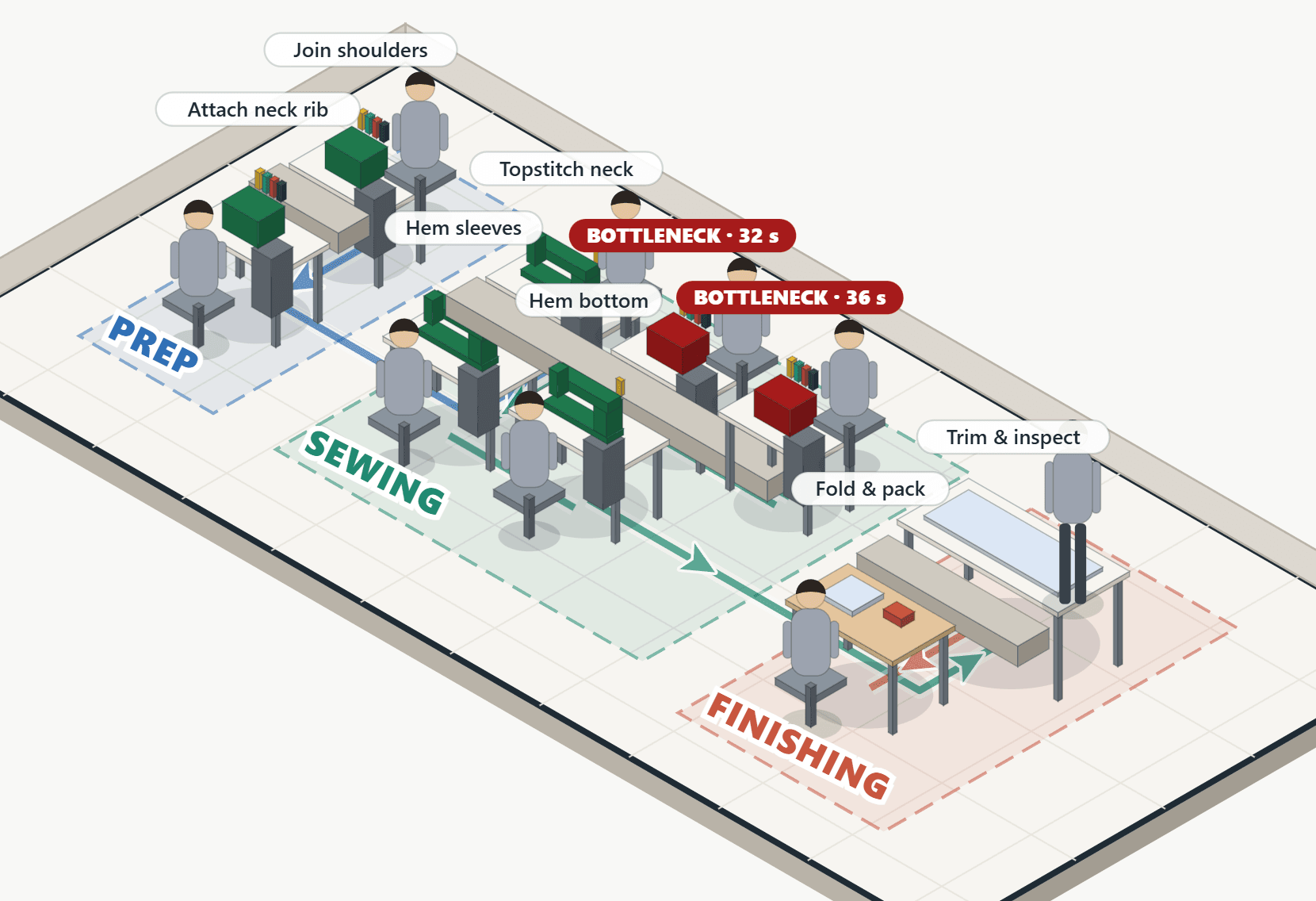
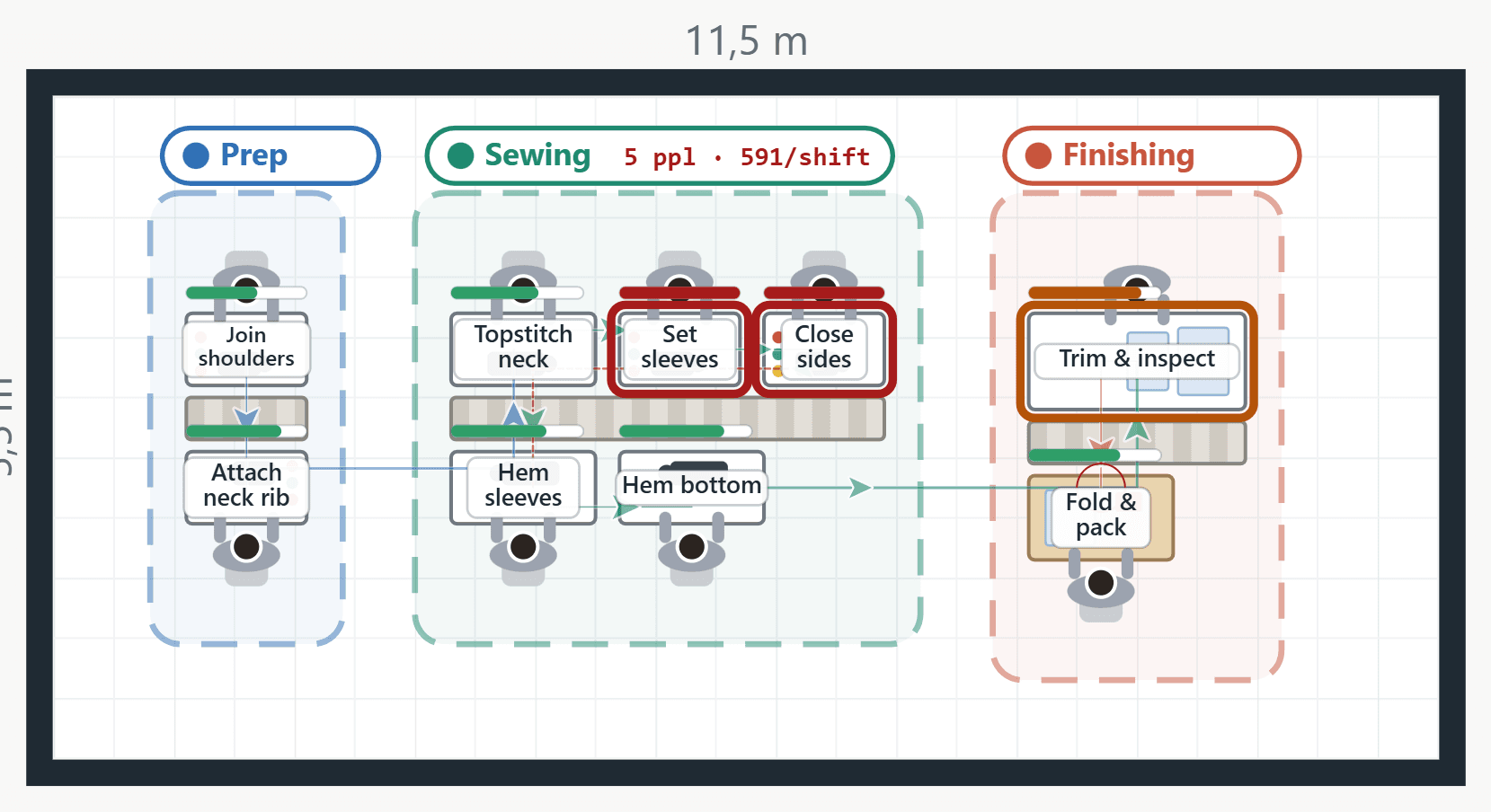
Stations sit on the floor at real size and the path of each piece is drawn. The slowest station is marked in red; travel distance and backflow are counted.
Balance the line
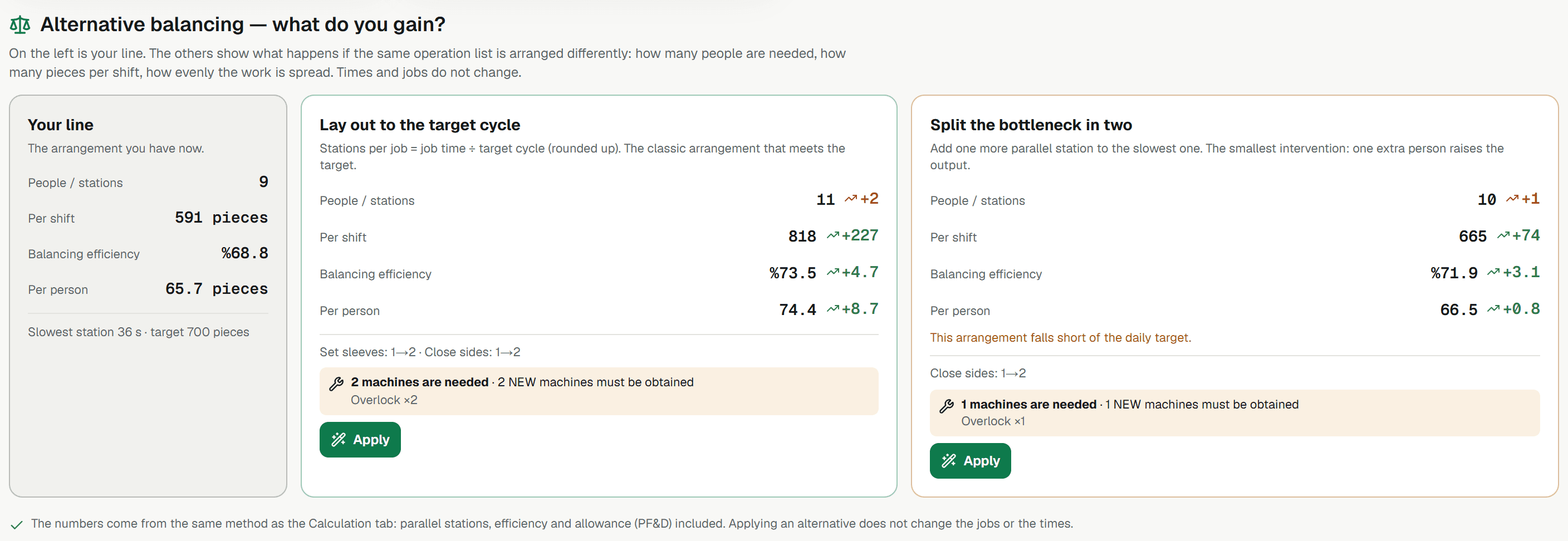
See side by side how many people, how many units and how much balance you gain when the same operation list is split differently. If new machines are needed, it tells you.
Play the shift
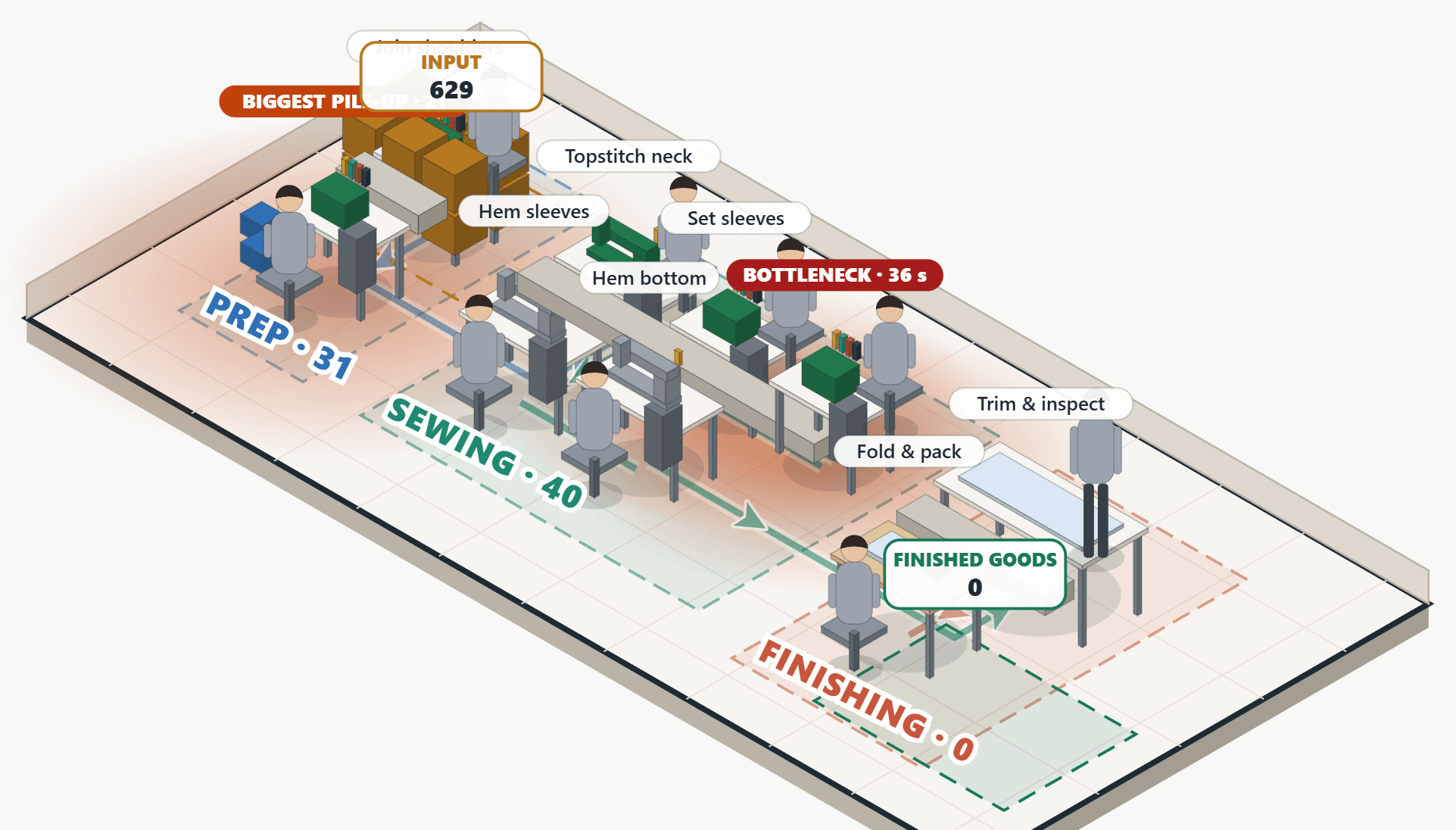
Run the shift at speed: watch where work piles up, who is waiting, and how many units come out by the end of the day.
Set up in four steps
- Pick your industry, build your workshopFloor size, your machine and station pool, your base flow steps. Set it up once, reuse it for every model.
- Enter operations and timesFill in the Excel template, upload your own file, or type them into the app.
- Lay out and balanceRun auto-layout or drag stations yourself; compare alternative balancing options.
- Simulate and comparePlay the shift, put scenarios side by side, save the winner.
Start with one line: a paid pilot
We agree the scope and success criteria with you up front. Over 2–4 weeks we model one line: measure the current state, make bottlenecks and waiting visible, and compare improvement scenarios. We don't promise results; we show what we measured and what we found.
- One line, clear scope
- Success criteria agreed in writing up front
- A current-state and scenario report at the end
Simple pricing
Per workshop or facility, per month. 15-day free trial, no card required.
- Layout, line balancing and shift simulation
- Unlimited models and scenarios
- Excel template and import
- Email support
- Everything in Starter
- Unlimited workshops and equipment pools
- Multi-floor layouts and scenario comparison
- AI assistant
- Priority support
- Everything in Professional
- Setup across several facilities
- ERP and data integration
- Onboarding, implementation support and a pilot project
Prices in USD, excluding taxes.
Frequently asked
Is it only for textiles?
No. When you open the app you pick your industry: apparel, assembly, food & packaging, warehouse & logistics, or general. You build your own workshop, stations and flow from scratch.
Do I have to install anything on my computer?
No. Open the link and it runs in your browser. There is nothing to download or install.
Will my own Excel file work?
Most of the time, yes. Headers are recognised even when they are worded differently, and your section names are taken from your file. We show you the rows and ask for your approval before importing.
How does a pilot work?
We start with a short call about your line and what you want to measure. We put the scope, duration and success criteria in writing; after 2–4 weeks we review the findings and scenarios together.
Where is my data kept?
Without an account your work stays only in your own browser. With an account your models and workshop plans are saved to the cloud, visible only to you.
The internet in my workshop is weak — is that a problem?
Once the page has loaded, the calculation and the simulation run on your own computer and do not need a constant connection.
Try the line on screen before you build it
Building and tearing down a real line is expensive. Trying it on screen isn't.